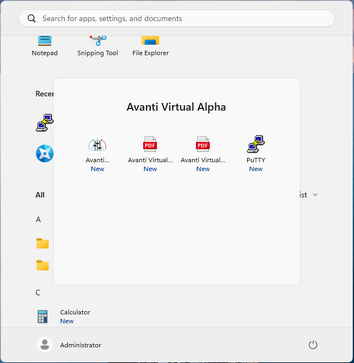
Launch the Avanti Configuration Utility from Windows Start. On Windows 11, open All apps, then Avanti Virtual Alpha, and select Avanti Configuration Utility. On Windows versions with a Start screen, select its Avanti Configuration tile.
Note: Administrative rights are required to run the Avanti configuration utility.
