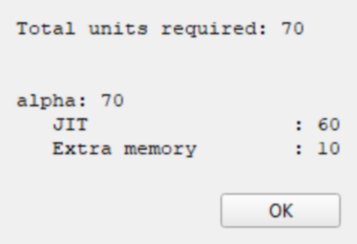
At the bottom of each Avanti configuration window, the total number of required license units is displayed. A configuration requiring zero units runs without a license key; configurations requiring additional units need a key with at least that many units. Clicking the [show units] button provides a detailed list of the charged components.
The image above shows the License Unit Calculation box for an example configuration requiring 70 units: 60 for JIT and 10 for memory above the included amount. The same 70-unit total appears at the bottom of that configuration window.
