Image files are Windows container files that encompass the image of Alpha disks. These show up as virtual disks on the virtual Alpha system. Image files can be created by Avanti, copied from another Alpha emulator, or ported from a real Alpha system. By default, Avanti assigns a .img extension to disk image files.
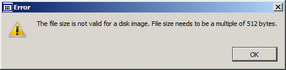
Note: Image files need to be sized in multiples of 512 bytes to ensure they are properly recognized by Avanti. The configuration utility will display an error and will not map an image file with an invalid size.
To assign an existing disk container file to a virtual disk, select image file in an unused disk location and click the browse button […]. Navigate to the desired host system folder and select the desired disk image file.
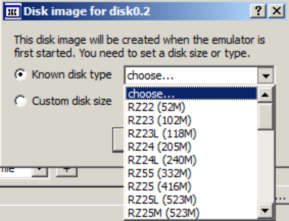
Avanti can create new image files, essentially creating new virtual disks, on startup. To create a new virtual disk, select image file in an unused disk location and click the browse button […]. Navigate to the desired host system folder and type in the new disk file name. A disk type selection box will be displayed, as shown here. If a custom disk size is required, click the Custom disk size button and enter the desired size in Megabytes (M) or Gigabytes (G).
