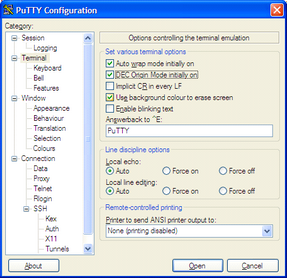
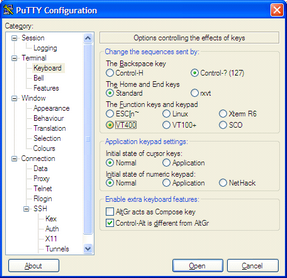
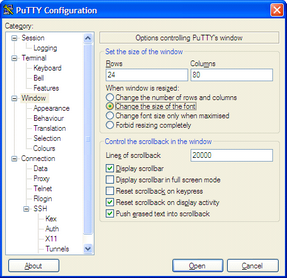
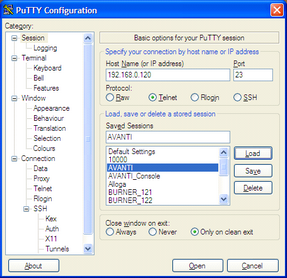
Starting with a default PuTTY configuration, the legacy settings shown above are an operational starting point for OpenVMS serial or Telnet sessions. They have not been revalidated as a complete profile for the current PuTTY release or every OpenVMS application. Verify terminal type, keyboard, backspace, character-set, and line-discipline behavior with the exact guest and application; use VT400 keyboard mode only when the application requires it.
